
Every tool between your photo and the paper
Pritana is not an editor. It is a printing workflow: import, frame, crop, adjust, print — with a Rust core for speed and ICC color management for accuracy.
Preview = Print
Edits are stored as a recipe and replayed on the full-resolution original at print time. No baked-in pixels, no surprises.
Professional Color (ICC)
Load the ICC profile for your printer and paper; colors are converted with LittleCMS before they reach the driver.
Rust Core, Native WebView
A ~9 MB installer that starts in seconds and stays responsive with large photos — no Electron, no bundled browser.
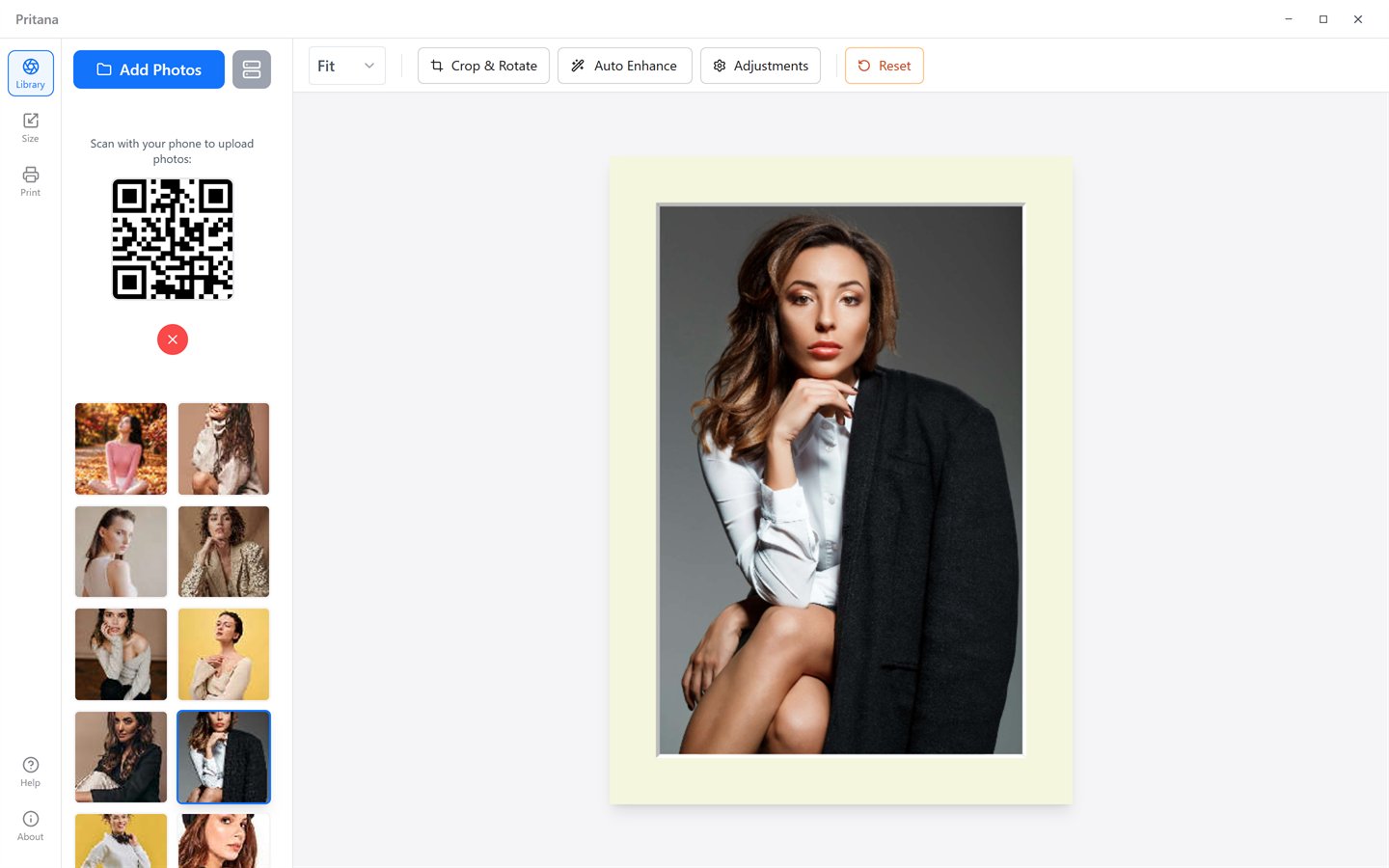
Frame size & mat board preview
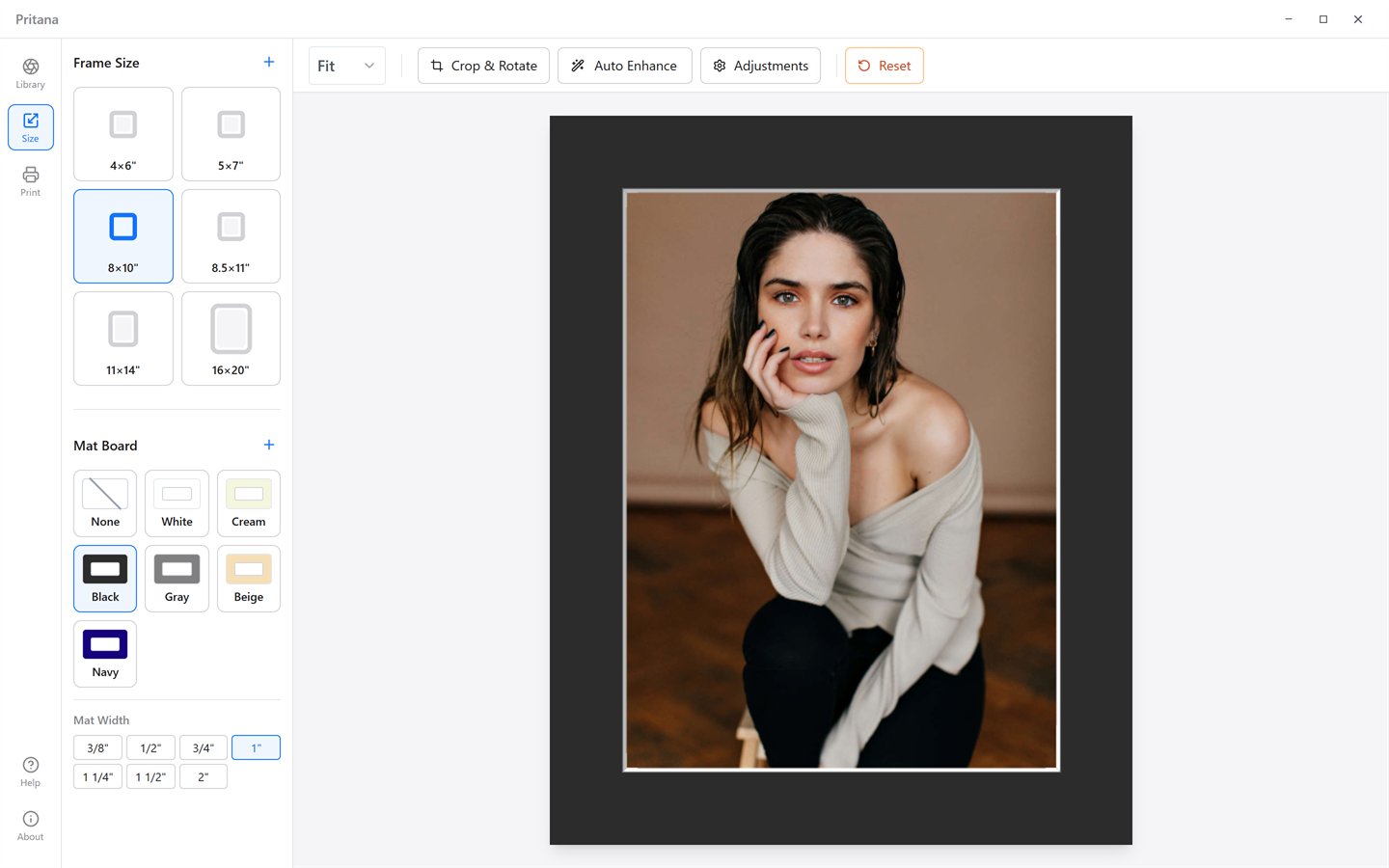
Choose the frame you actually own and see the photo behind a mat at true proportions. Change the mat color or width and the canvas updates instantly — so the crop you make on screen is the crop that ends up in the frame.
- Six built-in frame sizes: 4×6", 5×7", 8×10", 8.5×11", 11×14", 16×20"
- Frame Size Manager for any custom size in inches
- Six mat colors with seven standard widths from 3/8" to 2"
- Mat Board Manager: add your own colors and width sets
- Frame proportions follow the photo's orientation automatically
Crop to the print ratio, not to a guess
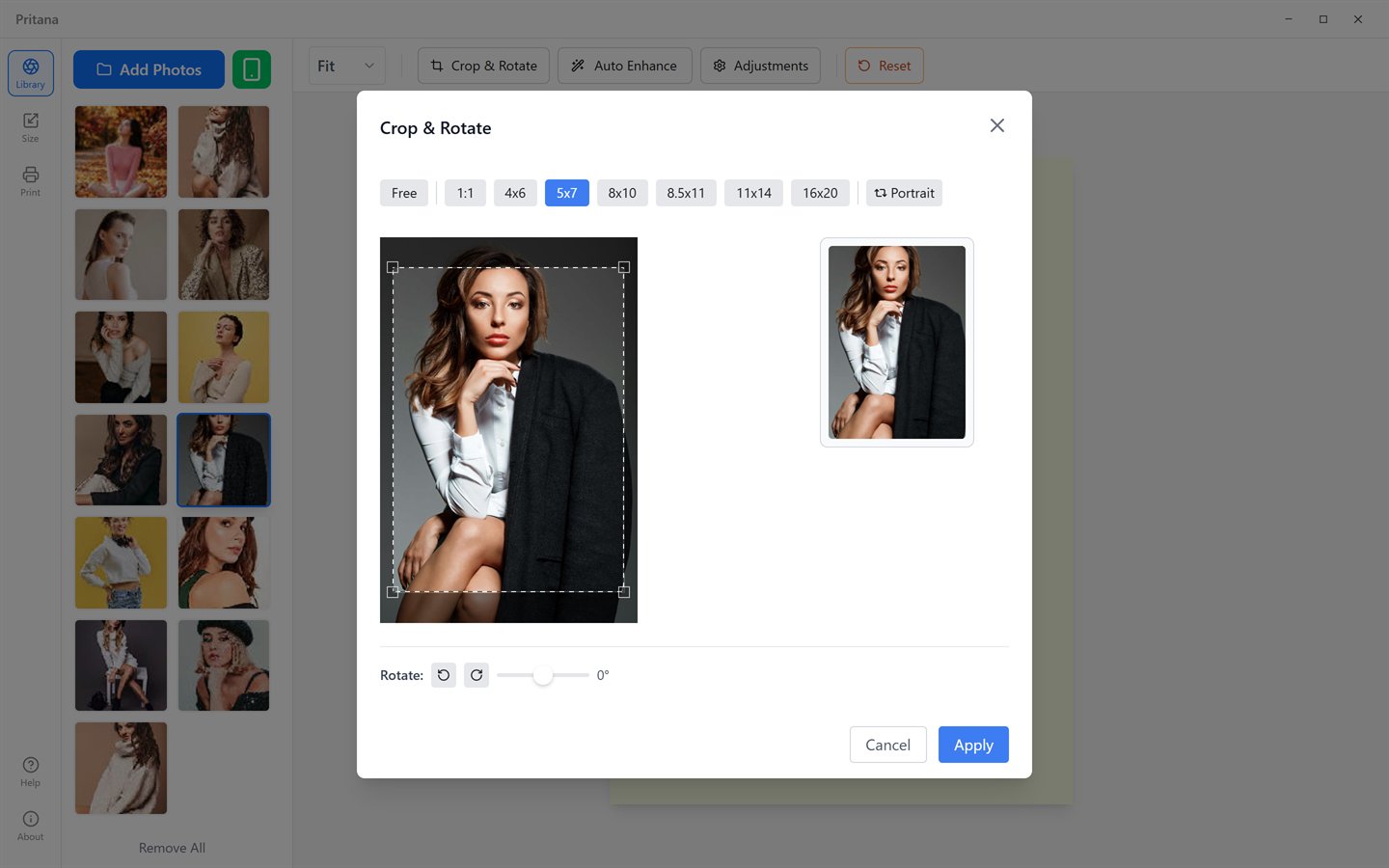
The crop dialog offers the same ratios as your frame sizes, so nothing important gets trimmed by the printer. A live result preview shows exactly what will be printed.
- Presets: Free, 1:1, 4×6, 5×7, 8×10, 8.5×11, 11×14, 16×20 — plus a one-click "match selected frame"
- Portrait / landscape toggle for any ratio
- Rotate 90° in either direction, or straighten with a ±45° fine-angle slider
- Non-destructive: reopen the dialog and your previous crop box is restored, never compounded
- Drag on the canvas to reposition the photo inside the frame; zoom presets in the toolbar (Fit, 100%, 150%, 200%)
Three sliders and one smart button
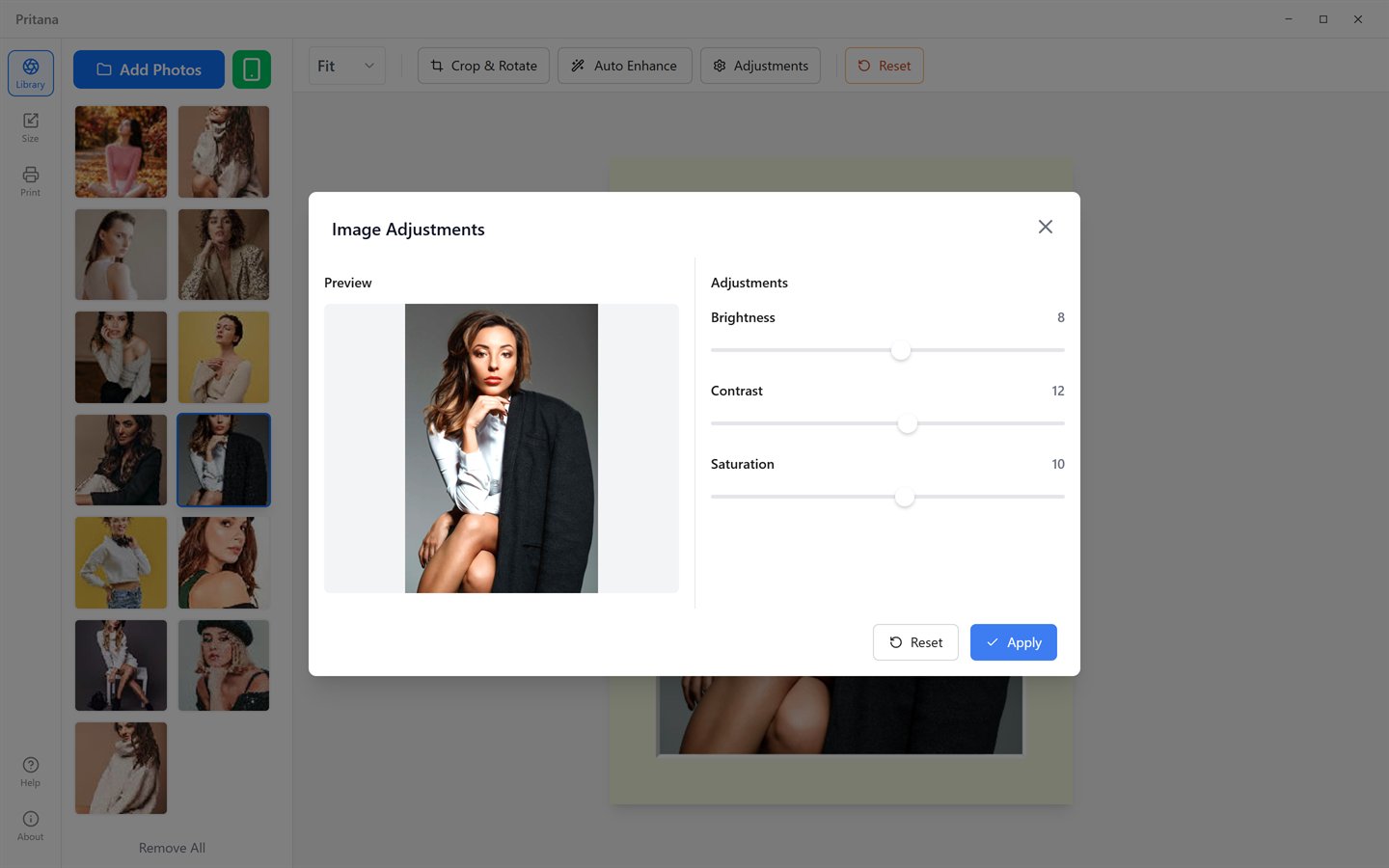
Prints usually need a touch more brightness and contrast than screens. Adjust by hand with a live preview, or press Auto Enhance and let Pritana read the histogram and pick the values for you.
- Brightness, Contrast and Saturation, −100 to +100, previewed live
- Contrast pivots on mid-gray so skin tones and highlights stay natural
- Auto Enhance analyses a downscaled copy, so results are identical regardless of resolution
- Auto Enhance sets the same three sliders — nothing hidden, everything reversible
- Reset returns to the untouched original in one click
Real print control, without the driver maze
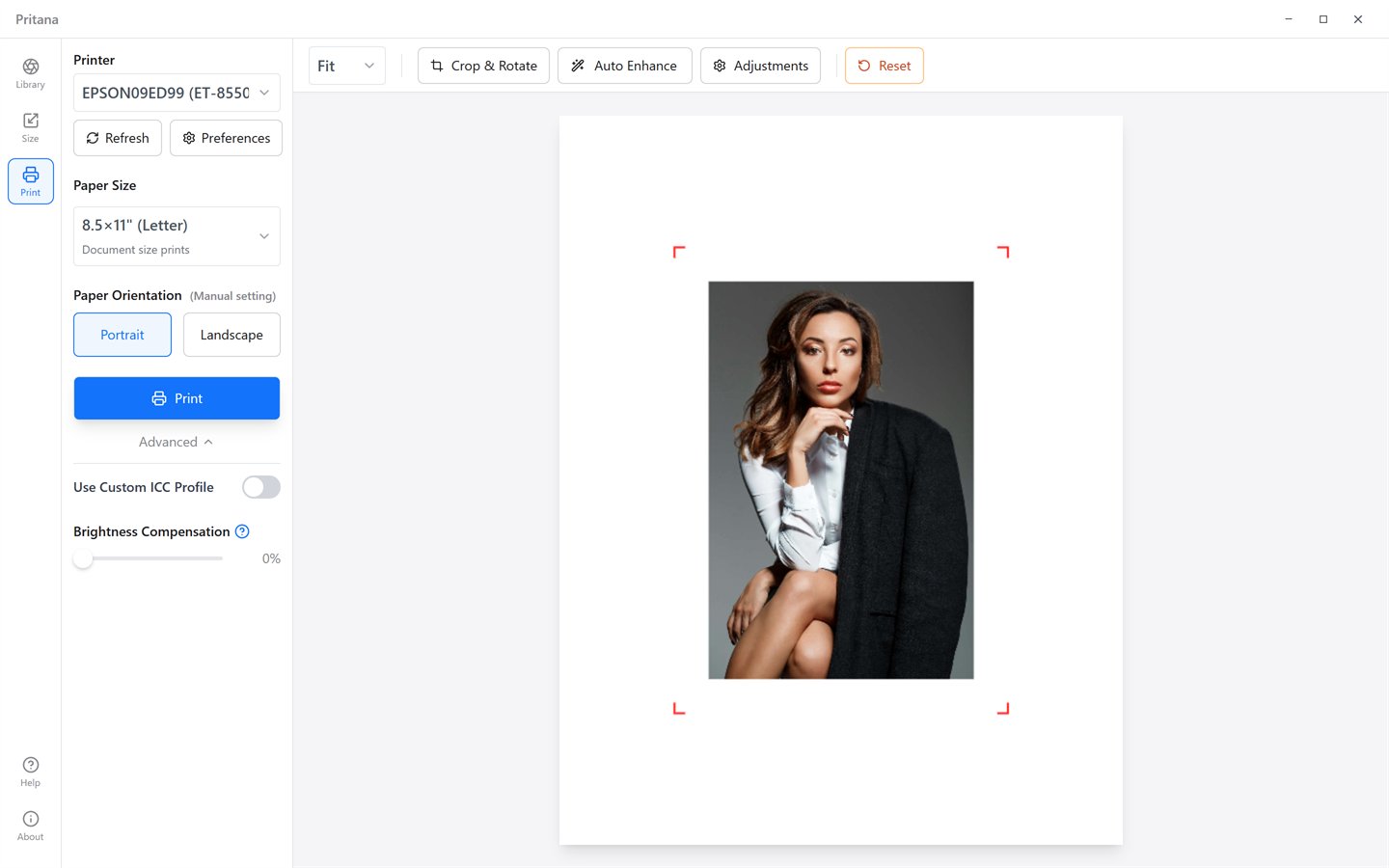
Pritana talks to the printer directly — the Windows print spooler with a full DEVMODE, or CUPS on macOS — and maps your sheet to the physical page. The preview shows the paper, the photo and crop marks.
- Printer list with live status (Ready, Offline, Paper Jam…) and a Refresh button
- Nine paper presets from Wallet 2.5×3.5" to 20×30", or a custom size in millimeters
- Paper orientation is set manually and independently of the photo's orientation
- Printer DPI is detected automatically on Windows; output is rendered at up to 600 DPI
- Advanced: custom ICC profile and a print-only Brightness Compensation slider
- "Preferences" opens the printer's own driver dialog for paper type and quality
A local library, fed from anywhere in the house
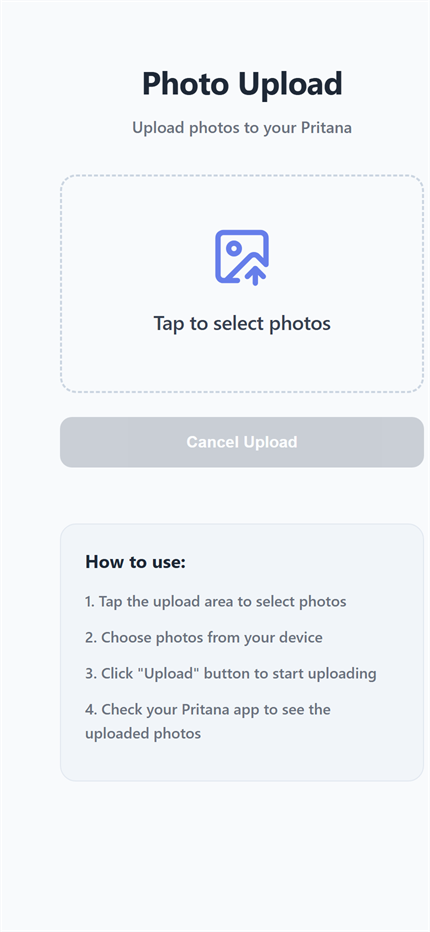
Drop files onto the window, use the picker, or tap the phone button: Pritana starts a tiny web server on your Wi-Fi and shows a QR code. Scan it, choose photos, and they appear in the library — without any cloud.
- JPEG, PNG, TIFF, WebP, BMP and GIF; EXIF orientation is applied automatically
- Duplicate detection so the same photo is never imported twice
- SQLite database and thumbnails stored in your user folder — nothing leaves the machine
- Originals are never modified; delete a photo from the library at any time
- Phone upload works on iOS and Android with no app to install
Under the hood
The print path is deterministic: the same operations, in the same order, on the full-resolution file.
Rust + Tauri 2
Native backend for the database, thumbnails, HTTP server and printing. Uses the OS WebView instead of bundling a browser.
OpenCV (WebAssembly)
All image math — geometry, adjustments, Lanczos resizing, unsharp mask — runs through OpenCV, in a background worker.
SQLite library
Photos, frame sizes and mat boards live in a local database; 128 px and 1500 px thumbnails keep the UI fast.
LittleCMS
Industry-standard ICC engine for printer/paper profiles, applied to the final print bitmap.
Made for every kind of print
From a fridge-door 4×6 to a 16×20 behind glass.
Families
Print holiday photos straight from the phone and get the brightness right on the first sheet.
Photographers
ICC profiles, 600 DPI rendering and output sharpening for exhibition-ready prints.
Framers & small shops
Preview the customer's photo behind the exact mat and frame before cutting anything.
Schools & offices
Simple enough for anyone at the front desk; nothing to configure and no accounts.
Try it on your own printer
Free for personal and commercial use on Windows and macOS.